|
|
||||||||||
|
This section of JACKPOT! displays all items that you have selected. If you have selected NO items yet, a message will appear indicating 'You have selected no items for the Reinforcer Survey'. Deleting and Changing Positions of Selected Items. You can click on the icons that appear next to your selected items to perform the following actions:
Response Formats.
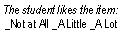
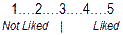
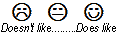
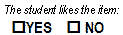
Just select a response format from the drop-down list that appears to the right of any of your selected items. JACKPOT! will then automatically update the response format for all of your items to match your selection. Here are the four response formats that you can choose from:
|

 Review Your Selected Items


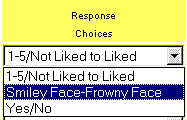 You can choose the response format that will appear on the Reinforcer Survey.